
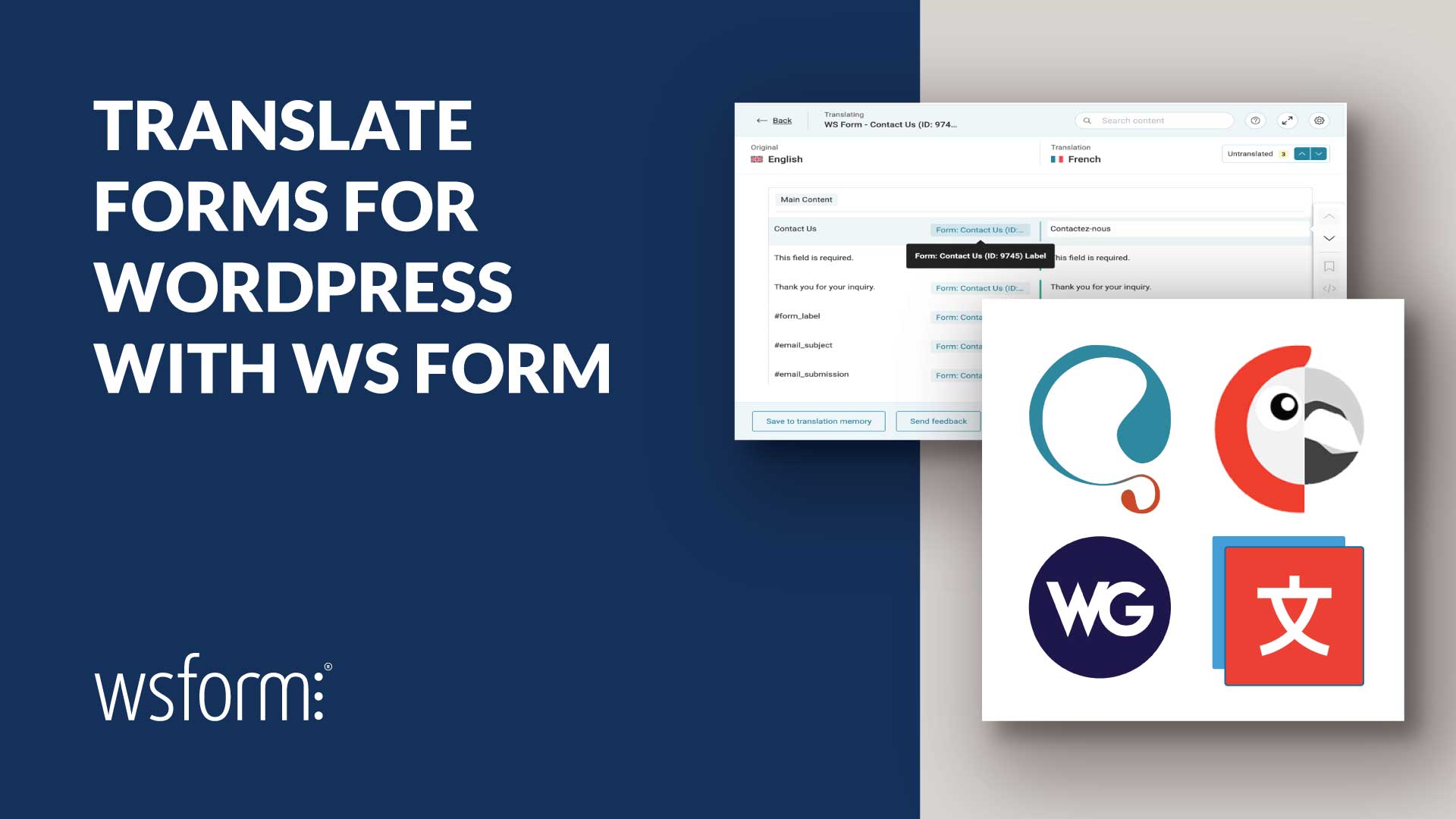
WS Form 1.11.0+ introduces powerful multilingual form translation features for websites built with WordPress. You can translate forms using popular translation plugins including WPML, Polylang, TranslatePress, and Weglot.
Whether you are building multilingual contact forms, surveys, registration forms, payment forms, booking forms, or lead generation forms, WS Form makes it easy to create localized experiences for your visitors.
Multilingual forms are essential for improving accessibility, user experience, SEO visibility, and conversion rates for international audiences.
Supported Translation Plugins
WS Form is compatible with the following translation plugins for WordPress:
- WPML (Recommended)
- Polylang
- TranslatePress
- Weglot
Each plugin provides a different approach to multilingual content management and WS Form integrates cleanly with each workflow.
Why Multilingual Forms Matter
Providing forms in a visitor’s native language can significantly improve user experience, accessibility, engagement, and conversion rates.
Research consistently shows that users are more likely to trust and interact with websites presented in their preferred language. According to CSA Research, 76% of online shoppers prefer to buy products with information in their own language, while 40% will never purchase from websites in other languages.1 More recent localization research also continues to show that multilingual content improves engagement, customer trust, SEO visibility, and conversion rates.2
Multilingual forms help reduce confusion, improve completion rates, and create better experiences for international visitors.
Accessibility is also an important consideration. Translating accessibility-related content such as ARIA labels, instructions, validation feedback, and help text helps ensure assistive technologies provide meaningful guidance in the visitor’s preferred language.
Providing localized forms can also:
- Increase form completion rates
- Reduce abandonment
- Improve customer trust
- Improve accessibility compliance
- Create better user experiences for international audiences
- Support multilingual SEO strategies
Whether you operate an international business, membership website, eCommerce store, educational platform, or non-profit organization, multilingual forms help you communicate more effectively with global audiences.
Translate Form Labels, Messages and More
WS Form translation support includes:
- Form settings
- Field labels
- Placeholders
- Help text
- Validation messages
- Section labels
- Tab labels
- Email subjects and content
- Message actions
- Accessibility and ARIA attributes
WS Form can also translate data grids used by field types such as:
This enables translation of form choices, pricing options, validation feedback, accessibility content, and messaging throughout the entire form experience.
AI-Powered Translation Workflows
Modern translation plugins increasingly use AI-assisted translation to improve translation quality, reduce manual effort, and accelerate multilingual website deployment.
Plugins such as WPML, Weglot, TranslatePress, and Polylang support various forms of automatic or AI-enhanced translation workflows.
These systems can help automatically translate:
- Field labels
- Placeholders
- Help text
- Validation messages
- Email content
- Accessibility and ARIA labels
- Form confirmation messages
Many translation plugins also provide translation memory, glossary support, machine translation engines, and human review workflows to improve consistency across multilingual websites.
For example:
- WPML supports automatic translation engines and AI-assisted translation workflows.
- Weglot uses machine translation providers combined with manual editing workflows.
- TranslatePress supports automatic translation services including Google Translate and DeepL.
- Polylang can be combined with third-party AI translation services and multilingual workflows.
While AI-assisted translation can dramatically speed up localization, we still recommend manually reviewing translated content, especially for legal, medical, financial, accessibility-related, checkout, and payment forms.
Carefully reviewing translations helps ensure terminology, accessibility guidance, pricing information, and validation messages remain accurate and culturally appropriate.
WPML Translation Support
WPML is one of the most popular multilingual plugins for WordPress and WS Form integrates directly with its String Translation functionality.
When WPML and the WPML String Translation plugin are installed, WS Form automatically adds a Translation tab to Form Settings. Enabling translation automatically registers form strings with WPML and creates translation packages for each form.
WS Form supports translation of field labels, placeholders, help text, validation messages, email content, accessibility labels, and Select, Checkbox, and Radio choices.
WS Form also supports translation of Price Select, Price Checkbox, and Price Radio fields.
WPML language negotiation is supported using:
- Different languages in directories
- Different domains per language
The WPML query string format (?lang=fr) is not supported.
Learn how to use WS Form with WPML.
Polylang Translation Support
Polylang provides multilingual translation support using string translation.
WS Form integrates directly with Polylang and automatically registers form strings when translation is enabled in Form Settings.
Polylang can translate labels, placeholders, help text, validation messages, accessibility labels, email content, and Select, Checkbox, and Radio choices.
WS Form also includes a dedicated button to quickly access the Polylang translations admin page.
Data grid translation can optionally be enabled or disabled depending on your workflow.
Learn how to use WS Form with Polylang.
TranslatePress Translation Support
TranslatePress provides visual front-end translation directly within the browser.
WS Form works automatically with TranslatePress without requiring additional setup or configuration.
Simply add your form to a page and use the TranslatePress visual editor to translate visible form content including labels, placeholders, help text, buttons, validation messages, and accessibility content.
This workflow is particularly useful for users who prefer translating content directly within the context of the page layout.
Learn how to use WS Form with TranslatePress.
Weglot Translation Support
Weglot provides automatic translation for websites built with WordPress using dynamic front-end translation.
WS Form includes built-in support for Weglot by automatically registering dynamic selectors used by forms.
This ensures that form content can be translated correctly across multilingual pages.
Weglot can translate labels, help text, placeholders, validation messages, buttons, confirmation messages, and accessibility-related content.
Translation management is handled directly within the Weglot workflow and no per-form translation setup is required.
Learn how to use WS Form with Weglot.
Troubleshooting Translation Strings
If a translation string does not appear in your translation plugin, ensure the related WS Form setting contains a value and then save the form again.
This allows WS Form to register the string correctly for translation.
This commonly applies to:
- Placeholders
- Help text
- Validation messages
- Email content
- Accessibility and ARIA labels
Manual Translation
If you are using an unsupported translation plugin, or prefer to manage translations manually, you can create separate forms for each language.
For example:
- Contact Form (English)
- Contact Form (French)
- Contact Form (German)
This approach works with any multilingual setup and gives you complete control over translated form content.
A common workflow is to duplicate an existing form and manually translate labels, placeholders, help text, email content, validation messages, and accessibility labels.
Each translated form can then be embedded on the corresponding translated page.
Learn how to manually translate forms in WS Form.
Variables for Determining the Current Language
WS Form also provides variables that can be used to determine the current language or locale in different contexts. These variables are useful when building multilingual forms, applying conditional logic, setting default values, customizing messages, or passing language information to actions and integrations.
The blog variables refer to the current WordPress site language. The client variables refer to the visitor’s browser language settings. The user variables refer to the current logged-in WordPress user.
| Variable | Description | Example Format |
|---|---|---|
#blog_language |
Current WordPress site language in BCP 47/web format. | de-DE |
#blog_locale |
Current WordPress site locale in WordPress/POSIX format. | de_DE |
#blog_locale_language_code |
Language code from the current WordPress site locale in ISO 639-1 format. | de |
#blog_locale_country_code |
Country code from the current WordPress site locale in ISO 3166-1 alpha-2 format. | DE |
#client_language |
Visitor browser language in BCP 47/web format. | en-US |
#client_locale |
Visitor browser locale in WordPress/POSIX format. | en_US |
#client_locale_language_code |
Language code from the visitor browser locale in ISO 639-1 format. | en |
#client_locale_country_code |
Country code from the visitor browser locale in ISO 3166-1 alpha-2 format. | US |
#user_language |
Current logged-in WordPress user language in BCP 47/web format. | fr-FR |
#user_locale |
Current logged-in WordPress user locale in WordPress/POSIX format. | fr_FR |
#user_locale_language_code |
Language code from the current logged-in WordPress user locale in ISO 639-1 format. | fr |
#user_locale_country_code |
Country code from the current logged-in WordPress user locale in ISO 3166-1 alpha-2 format. | FR |
For example, you could use #blog_locale_language_code in conditional logic to show different content depending on the current site language, or pass #client_language to an integration to record the visitor’s browser language with each submission.
Using Language Variables in Conditional Logic
WS Form language variables can also be used directly in conditional logic to create dynamic multilingual form experiences.
This allows you to:
- Show or hide fields based on the current language
- Adjust form behavior for different regions or locales
- Route submissions differently depending on language
- Set different default values based on locale
For example, you could use #client_locale_language_code to check the visitors browser language.
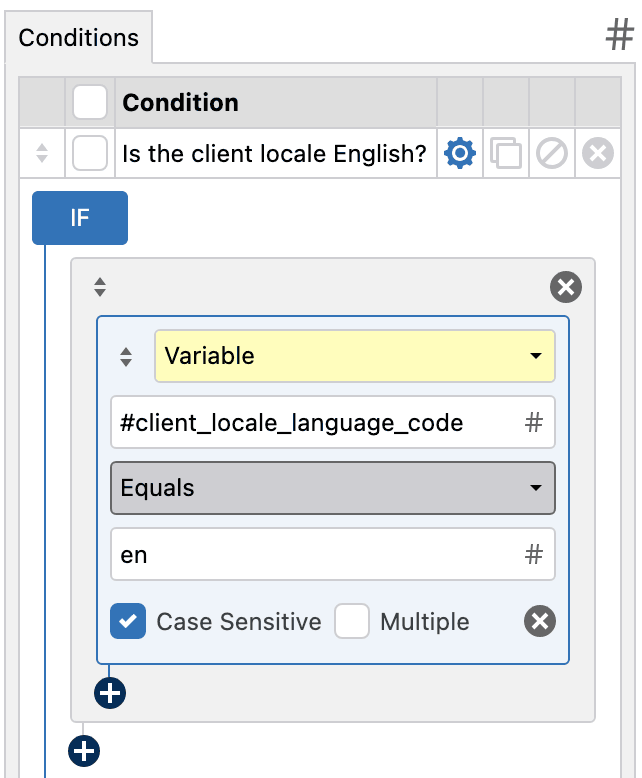
You could also use #client_locale_country_code to display region-specific fields depending on the visitor’s browser locale.
This makes it possible to build highly personalized multilingual workflows without needing separate forms for every language or region.
Learn more: Using Variables in Conditional Logic IF Statements
Start Translating Forms with WS Form
WS Form 1.11.0+ provides flexible multilingual support for forms for WordPress using the most popular translation plugins available today.
Whether you prefer WPML, Polylang, TranslatePress, Weglot, or manual translation workflows, WS Form makes it easy to build fully translated forms for multilingual websites.
To get started, install your preferred translation plugin and review the knowledge base articles linked above.
References
- Survey of 8,709 Consumers in 29 Countries Finds that 76% Prefer Purchasing Products with Information in Their Own Language https://www.newswire.com/news/survey-of-8-709-consumers-in-29-countries-finds-that-76-prefer-21174283
- Top Multilingual Website Stats and Localization Trends for 2025 https://www.weglot.com/guides/multilingual-website-stats-and-localization-trendsWhy Content Localization Matters in 2025 https://localizejs.com/articles/content-localization-the-fundamentals-benefits-and-signficanceNot All Visitors are Bilingual: A Measurement Study of the Multilingual Web from an Accessibility Perspective https://arxiv.org/abs/2508.18328