
In conditional logic, IF statements can directly compare the value of WS Form variables.
This enables you to create dynamic conditions using values such as the current post ID, language code, query variables, tracking variables, field values, and calculated values.
Example
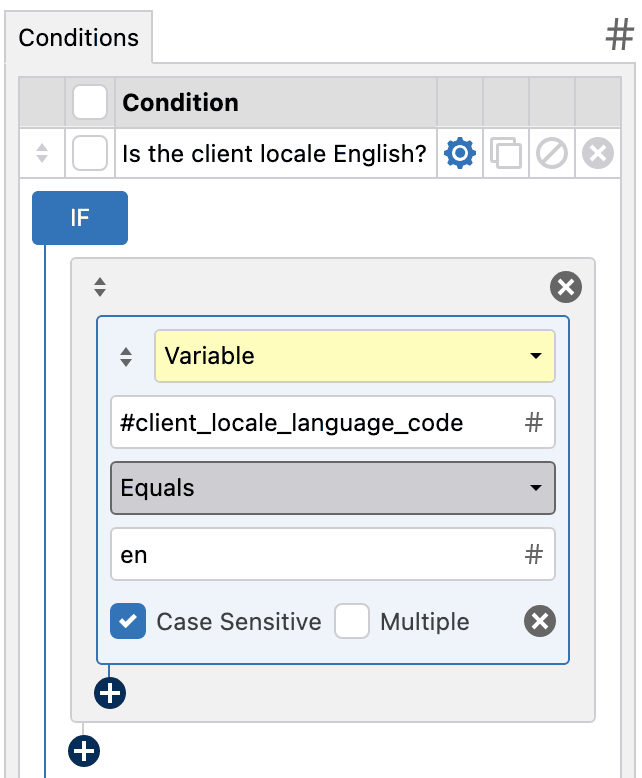
The example below checks whether the user’s browser language is English (en).
How It Works
To create a condition that evaluates a variable, select Variable as the IF type.

Next, configure the following settings:
- Expression
- Operator
- Comparison Value
The Expression and Comparison Value fields can contain static text, WS Form variables, or a combination of both.
The following operators are available:
- Equals Checks if the resolved value exactly matches the comparison value.
- Does not equal Checks if the resolved value does not exactly match the comparison value.
- Contains Checks if the resolved value contains the comparison value.
- Does not contain Checks if the resolved value does not contain the comparison value.
- Starts with Checks if the resolved value begins with the comparison value.
- Does not start with Checks if the resolved value does not begin with the comparison value.
- Ends with Checks if the resolved value ends with the comparison value.
- Does not end with Checks if the resolved value does not end with the comparison value.
- Is blank Checks if the resolved value is empty.
- Is not blank Checks if the resolved value is not empty.
- Matches JS regex Checks if the resolved value matches a JavaScript regular expression pattern.
- Does not match JS regex Checks if the resolved value does not match a JavaScript regular expression pattern.
An example condition is shown below.
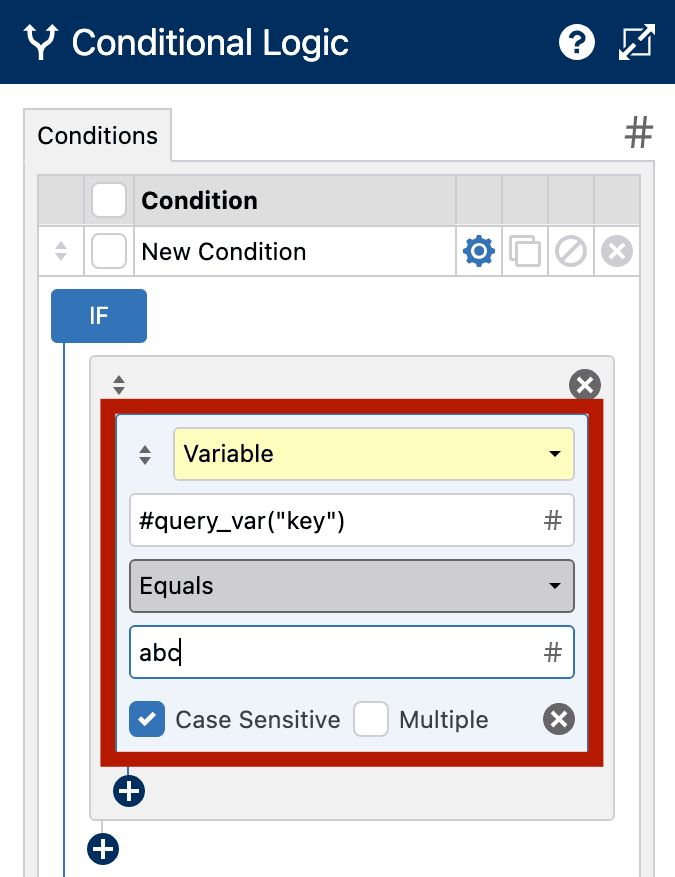
In this example:
- The Expression is
#query_var("key") - The Operator is Equals
- The Comparison Value is
abc
This condition checks the current page URL for a query string parameter named key. If the parameter value equals abc, the condition evaluates as true.
An example URL that would return a true condition is:
https://example.com/?key=abc
Using the Variables Helper
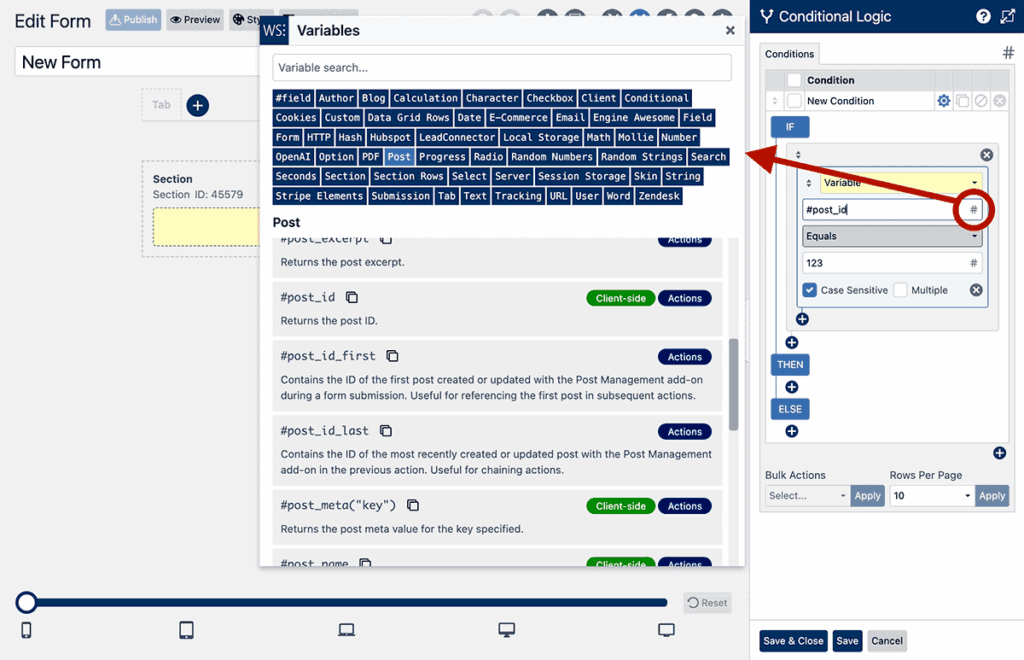
The Expression and Comparison Value fields both support the Variables Helper.
Click the # icon next to either field to browse and insert available variables.
Examples
Below are some common examples of using variables in IF statements.
Check the Current Locale
| Expression | Operator | Comparison Value |
|---|---|---|
#blog_locale |
Equals |
en_US |
Check the Current Post ID
| Expression | Operator | Comparison Value |
|---|---|---|
#post_id |
Equals |
123 |
Check the Current Post Slug
| Expression | Operator | Comparison Value |
|---|---|---|
#post_name |
Equals |
contact-us |
Check a Query Variable
URL:
https://example.com/?campaign=summer_sale
| Expression | Operator | Comparison Value |
|---|---|---|
#query_var("campaign") |
Equals |
summer_sale |
Check if a Query Variable Exists
| Expression | Operator | Comparison Value |
|---|---|---|
#query_var("ref") |
Is not blank |
Check a Tracking Variable
URL:
https://example.com/?utm_campaign=black_friday
| Expression | Operator | Comparison Value |
|---|---|---|
#tracking_utm_campaign |
Equals |
black_friday |
Check if a Tracking Variable Exists
| Expression | Operator | Comparison Value |
|---|---|---|
#tracking_utm_campaign |
Is not blank |
Compare a Field Value
| Expression | Operator | Comparison Value |
|---|---|---|
#field(123) |
Equals |
Yes |
Combine Variables and Text
You can combine static text and variables in the same value.
| Expression | Operator | Comparison Value |
|---|---|---|
#blog_language_code:#post_id |
Equals |
en:123 |
Multiple Matching
Enable Multiple to compare against multiple values using the selected operator.
This behaves in the same way as other WS Form conditional logic rules that support multiple values.
Common Use Cases
- Show fields based on the current language
- Show fields based on the current post or page
- Display campaign-specific fields using UTM tracking variables
- Check URL query parameters
- Create dynamic conditional logic based on calculated values
- Create logic based on another field value without selecting that field directly
- Combine multiple variables into a single comparison
Related Variables
Common variables used in IF statements include:
#blog_language_code#blog_locale#post_id#post_name#post_title#query_var("key")#tracking_utm_campaign#tracking_utm_source#tracking_utm_medium#field(id)#calc(...)
Notes
- The expression is resolved before the IF statement is evaluated.
- Variables are resolved before the operator comparison is performed.
- You can enter a single variable or a string containing multiple variables.
- If a variable cannot be resolved, the comparison may evaluate against an empty value.