
Weglot is a client-side translation platform for WordPress that automatically translates website content using JavaScript.
WS Form includes built-in support for Weglot by registering dynamic selectors so that form content can be translated correctly.
Requirements
Weglot integration requires:
Installing Weglot
- Install and activate the Weglot plugin.
- Configure your source and destination languages.
- Complete the Weglot setup wizard.
Setting Up Form Translation
- Create and publish your form.
- Add the form to a page.
- Open the page in the translated language.
- Use the Weglot Visual Editor to review and edit translations.
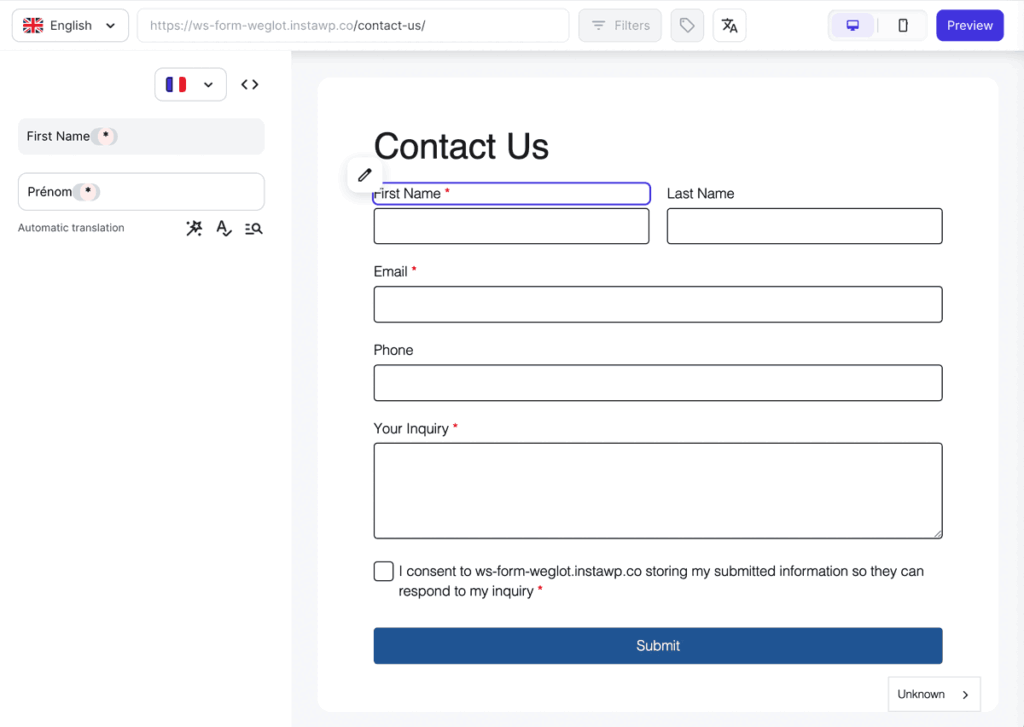
Note: If Weglot indicates that a translation cannot be found for a new element, try changing the language to force Weglot to register it.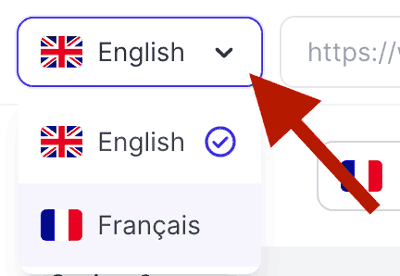
Once translated, forms will automatically display in the active language.
Translation Settings
When Weglot is installed, the WS Form Translation tab includes a Weglot section with a management button for quick access.
Manage in Weglot
Click this button to go to the Weglot admin page.
What Can Be Translated?
Weglot can translate visible form content including:
- Field labels
- Field placeholders
- Field help text
- Validation messages
- Button labels
- Confirmation messages
Additional Notes
WS Form automatically handles selector registration for Weglot.
Translation management and language display behavior are controlled entirely through Weglot.