
The WS Form Create from AI template can be used to create a form using AI from a prompt.
Configuring Connectors
In order to use the Create from AI template you will need to configure at least one AI connector in WordPress such as Anthropic, Google or OpenAI.
To do this:
- Click on Settings > Connectors from the WordPress administration menu.
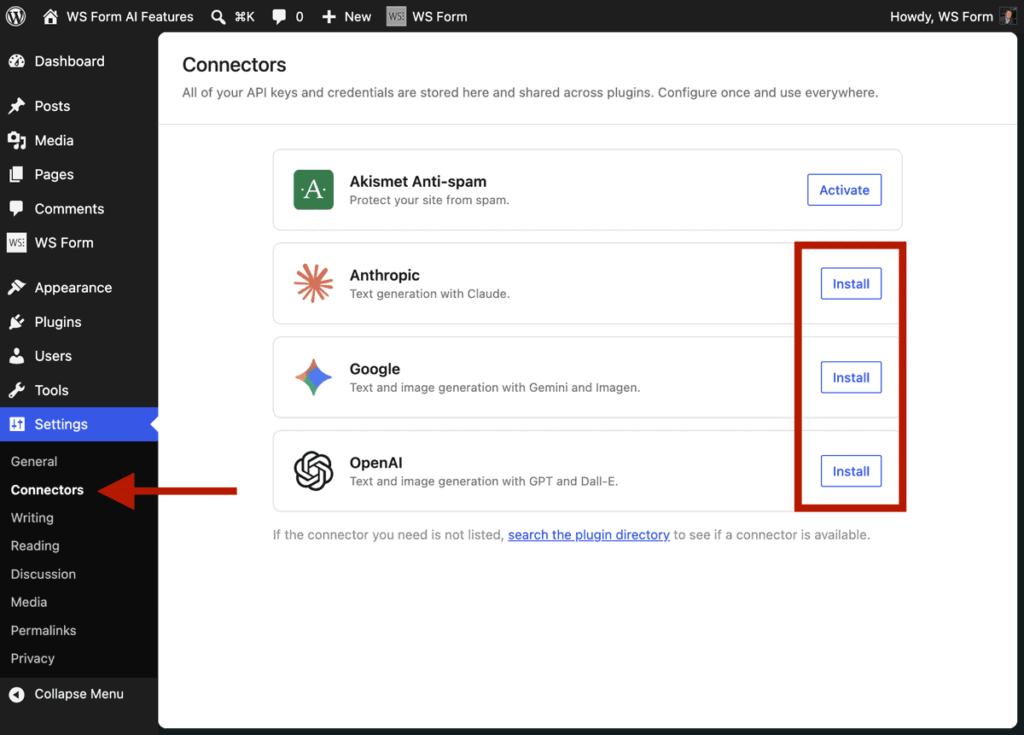
- Click the Install button for Anthropic, Google and/or OpenAI and enter your API keys.
- Click Save.
- WordPress will show Connected when the provider is successfully connected.
Using the Template
Once you have completed the step above a new Create from AI template will appear in the WS Form Add Form admin page.
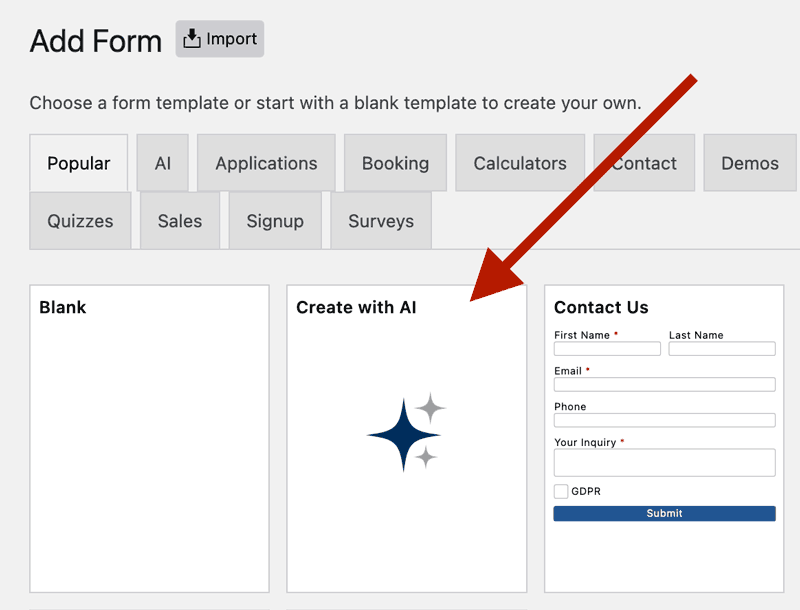
Simply hover over the template and click Use Template. Describe the form you would like to create in the Create with AI modal and then click the Create button.
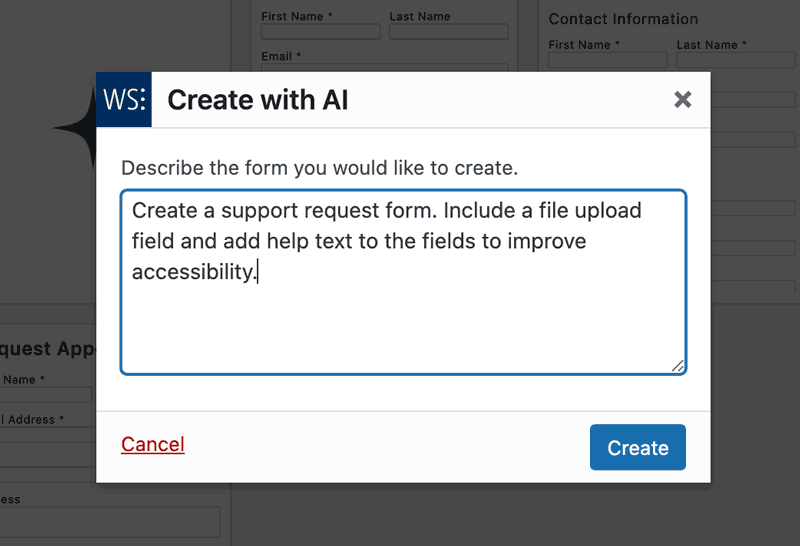
Example Prompts
Create a Contact Us Form
Create an accessible Contact Us form with helpful field descriptions.
Create a Specific Contact Form
Create a simple contact form with first name, last name, email address, phone number (optional), subject line dropdown (General Inquiry, Support, Sales, Partnership), and a message textarea. Make name and email required. Add help text under the message field saying “Please provide as much detail as possible.”
Dog Adoption Form
Create a dog adoption form.
Job Application
Make me a multi-step job application form, including a PDF file upload field.
Mortgage Calculator
Create a mortgage calculator form
Multi-Lingual Form Creator
Create a contact form in English, then immediately create a Spanish version by cloning it and translating all field labels, placeholders, and help text to Spanish. Give me both shortcodes.
Multi-Step Loan Form
Create a multi-step loan application form with:
Step 1: Personal info (name, email, phone)
Step 2: Employment details (employer, income, job title)
Step 3: Loan details (amount requested, purpose)Include next/previous buttons and make sure all fields are required except the loan purpose.
Support Ticket Form
Design a technical support form with:
– Your name and email (required)
– Product/service affected dropdown: Website, Mobile App, API, Billing, Other
– Priority level radio: Low, Medium, High, Critical
– Issue category dropdown: Bug Report, Feature Request, Access Issue, Performance, Documentation
– Subject line (text field, required)
– Detailed description (textarea, required, placeholder: “Please include
steps to reproduce the issue”)
– Browser/Device info (text field)
– Screenshot upload (file field, optional, help text: “Attachments help us resolve issues faster”)
– Error message (textarea, if applicable)
Workshop Registration
I need a registration form for a workshop. Include fields for full name, email, company, job title, and a checkbox to agree to terms and conditions. Add a dropdown for selecting which session they want to attend with options: Morning, Afternoon, or Evening.