
Most WS Form templates already include a GDPR checkbox. By default, the checkbox label says:
I consent to #blog_name storing my submitted information so they can respond to my inquiry
The variable #blog_name is automatically replaced with your site’s title.
If you’d like to change the label on this checkbox, follow these steps:
- Hover over the GDPR checkbox field and click the Settings icon.

- In the sidebar, click the Checkboxes tab. This will display a data grid showing all of the checkboxes in this field, in this case a single row for the GDPR consent checkbox.
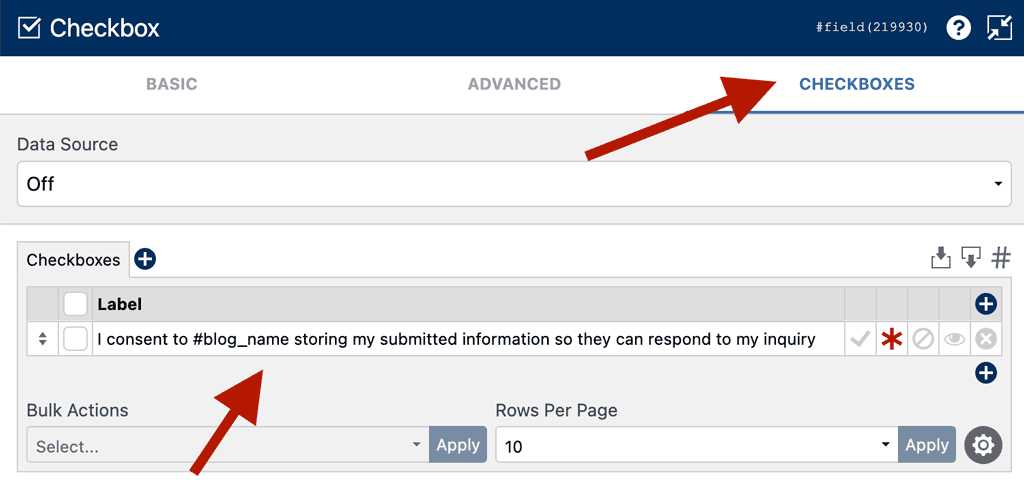
- In the data grid, find the Label column and replace the text with whatever you’d like the checkbox to say.
Tip: You can still use WS Form variables here, such as
#blog_nameto keep the site title dynamic. - Click Save & Close at the bottom of the sidebar.
- When you’re ready to make your changes live, click Publish.